Common Google Workspace Security Mistakes to Avoid
Google Workspace provides strong security controls, but poor configuration and everyday user mistakes can still expose business accounts and data. Weak authentication, excessive admin permissions, broad Google Drive sharing, and unmanaged third-party apps are common examples. For businesses using Gmail, Google Drive, Google Meet, and other Workspace services, avoiding these Google Workspace security mistakes can […]

Google Workspace provides strong security controls, but poor configuration and everyday user mistakes can still expose business accounts and data. Weak authentication, excessive admin permissions, broad Google Drive sharing, and unmanaged third-party apps are common examples.
For businesses using Gmail, Google Drive, Google Meet, and other Workspace services, avoiding these Google Workspace security mistakes can reduce unnecessary security risks.
1. Relying on Weak or Reused Passwords
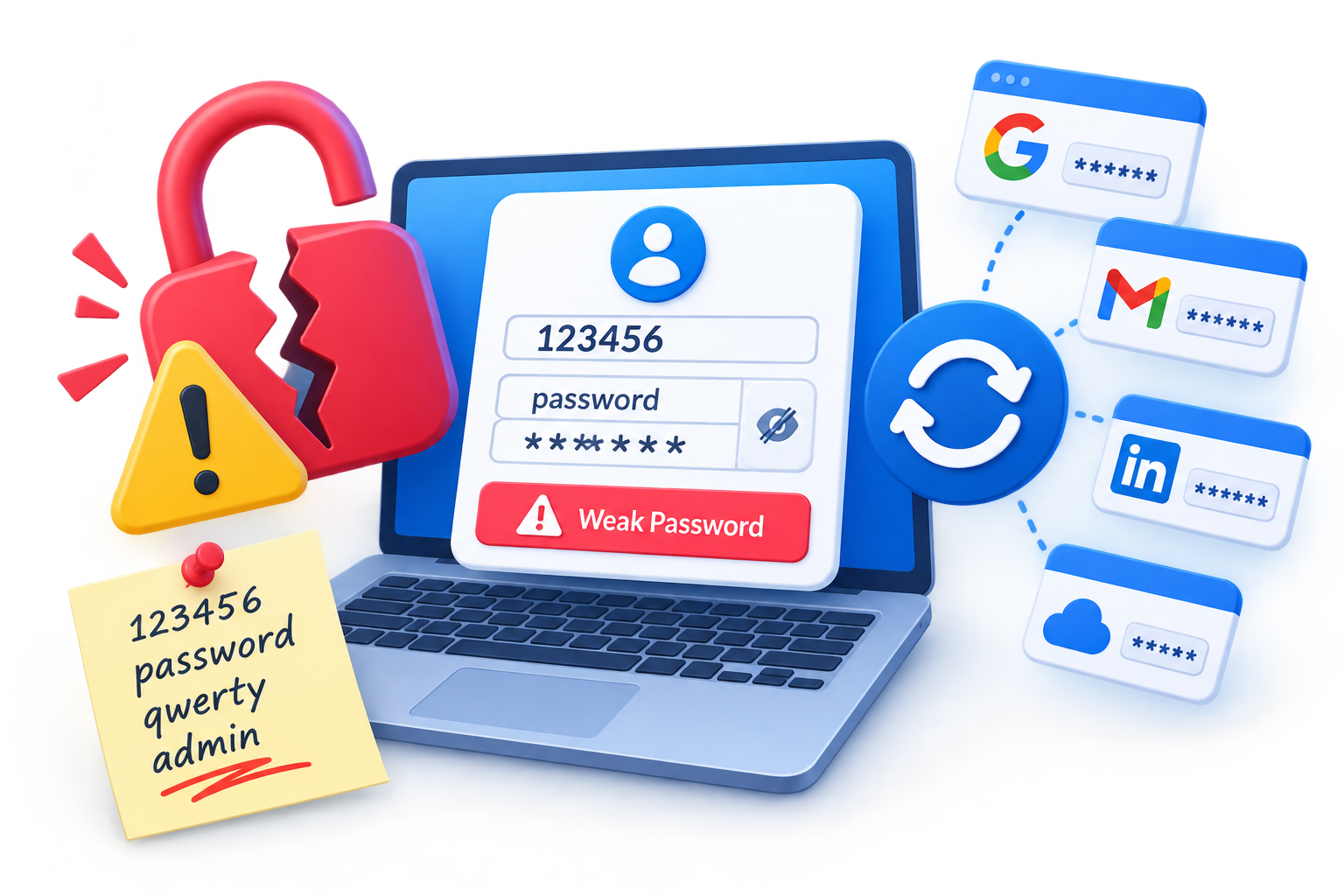
Using weak or reused passwords increases the risk of account compromise, especially when the same password has been exposed through another service.
Encourage users to:
- Use unique passwords for their Google Workspace accounts.
- Never share passwords with colleagues.
- Avoid reusing business passwords on personal services.
- Use stronger authentication methods supported by their organization.
Passwords should not be the only layer protecting important Workspace accounts. Google recommends additional protections such as 2-Step Verification, while passkeys and security keys can provide stronger authentication in appropriate situations. (Google Support)
Better approach: Make strong authentication part of your organization’s Google Workspace security policy rather than relying on passwords alone.
2. Not Using 2-Step Verification
A stolen password can give an attacker access to a user’s Google account. 2-Step Verification (2SV) adds another authentication factor and makes unauthorized access more difficult.
This is especially important for administrator accounts because they can control users, settings, and business data. Google specifically recommends 2SV for administrators and highlights security keys as a strong option for protecting sensitive admin accounts. (Google Support)
Better approach: Enable or enforce 2SV according to your organization’s Workspace policies, with administrator accounts receiving the highest priority.
3. Giving Users Too Many Admin Permissions
Not every employee needs Google Workspace administrator access.
Giving someone more privileges than necessary increases the potential impact of a compromised account or accidental configuration change.
For example, a team member who only needs to manage users may not need permissions to change security settings or perform other high-level administrative tasks.
Better approach: Follow the principle of least privilege. Give each administrator only the roles and permissions required for their responsibilities. (Google Support)
4. Using Overly Broad Google Drive Sharing
Google Drive makes collaboration easy, but incorrect sharing settings can expose confidential documents to unintended recipients.
Before sharing a file or folder, check:
- Who currently has access?
- Is access limited to specific people or groups?
- Is link sharing broader than necessary?
- Does the recipient need edit access?
- Is external access appropriate for the document?
Workspace administrators can also control external sharing, including restrictions based on domains, groups, or organizational requirements. (Google Support)
Better approach: Use the least-permissive sharing setting that still supports the business workflow. Sensitive documents should generally be shared with specific people or trusted groups rather than broadly.
5. Leaving External Sharing Uncontrolled
External collaboration is often necessary for businesses working with customers, suppliers, contractors, and partners. The problem is not external sharing itself but allowing it without appropriate controls.
An organization should decide which users or teams actually need to share information outside the company.
Better approach: Establish clear external-sharing rules and restrict access where appropriate. For example, sensitive departments may need stricter sharing controls than teams that regularly collaborate with external partners.
This is particularly useful for UAE businesses working with customers and partners across Dubai, Abu Dhabi, and other Emirates.
6. Ignoring Suspicious Sign-In Activity
An attacker may access an account without immediately changing anything obvious. Unexpected sign-in notifications, unfamiliar devices, or changes to security settings can be warning signs.
Users should investigate activity they do not recognize and report suspicious access promptly. Google also provides security checks and account activity information to help identify unfamiliar devices, applications, and security changes. (Google Support)
Better approach: Treat unexpected sign-ins or security alerts as potential security incidents rather than ignoring them.
For administrators, relevant alerts and Admin console logs can provide additional visibility into suspicious activity. (Google Support)
7. Approving Unnecessary Third-Party Apps
Third-party applications can request access to Google account or Workspace data. Approving an application without understanding what it can access may create unnecessary security and privacy risks.
Before approving an application, ask:
- Is the developer trusted?
- What Google data does the application request?
- Does the business actually need the application?
- Can the access be restricted?
- Does the provider have appropriate security and privacy practices?
Google notes that linked applications may be able to read, edit, delete, or share data depending on the permissions granted. (Google Support)
Workspace administrators can also control which third-party and internal applications have access to organizational data. (Google Support)
Better approach: Review application access regularly and remove applications that are no longer required.
8. Leaving Former User Accounts Unmanaged
Employee changes are another common source of unnecessary access.
When someone leaves an organization or changes responsibilities, their account and permissions should be reviewed promptly. Simply stopping the employee from using the account does not replace a proper offboarding process.
Administrators should consider:
- Account status
- Group memberships
- Application access
- Shared files
- Administrative privileges
- Required data-handling procedures
Better approach: Include Google Workspace access in the organization’s employee offboarding process and review accounts whenever responsibilities change.
9. Ignoring Phishing Warnings
Security technology cannot replace user awareness.
Employees should be cautious when an email unexpectedly asks them to:
- Sign in through a link
- Provide a password
- Open an unusual attachment
- Transfer money
- Share confidential information
- Act urgently on behalf of an executive or supplier
Google recommends avoiding suspicious requests and never providing passwords through email, messages, or phone calls. (Google Support)
Better approach: Train employees to verify unusual requests through a trusted communication channel before taking action.
10. Using Super Admin Accounts for Everyday Work
Using a highly privileged administrator account for normal email, browsing, and everyday work increases its exposure to phishing and other threats.
Google recommends that super administrators use separate non-admin accounts for daily activities and use the super admin account only when administrative work requires it. Google also recommends giving each administrator an identifiable account rather than sharing one admin login. (Google Support)
Better approach: Maintain separate daily-use and administrative accounts for highly privileged administrators.
This also improves accountability because individual administrator activity can be associated with the correct account.
11. Failing to Review Security and Admin Activity
Google Workspace security should not be treated as a one-time setup.
Organizations change over time. Employees join and leave, applications are added, teams change responsibilities, and external collaboration increases.
Administrators should periodically review:
- Administrator roles
- User accounts
- 2-Step Verification status
- Drive sharing policies
- External access
- Third-party applications
- Security alerts
- Administrative activity
Google provides Admin email alerts and Admin log events that can help administrators monitor important activity and investigate potential security issues. (Google Support)
Better approach: Schedule regular Workspace security reviews instead of waiting for a security incident to expose outdated permissions or settings.
Quick Google Workspace Security Checklist
Use this checklist for a basic security review:
- 2-Step Verification is enabled or enforced appropriately.
- Administrator privileges follow least-privilege principles.
- Super admin accounts are protected and not used for everyday work.
- Google Drive sharing permissions are regularly reviewed.
- External sharing is controlled according to business requirements.
- Suspicious sign-ins and security alerts are investigated.
- Third-party application access is reviewed.
- Former employee accounts and permissions are handled promptly.
- Administrative activity is monitored regularly.